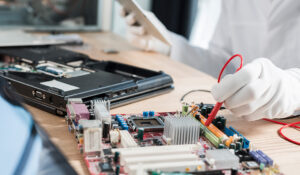
When a computer isn't working properly, it may be a major headache for the user, and when there are multiple issues, it can be difficult to determine whether the problem is with the program or the hardware. There are several hardware and software issues that might lead to symptoms that are very similar.
The following is a list of some common issues, as well as some easy techniques to determine whether the issue is with the hardware or the software.
1. Failing to Boot Up
If your computer would not boot up, the problem must be with the hardware in some way. It could be anything as basic as a bad connection within the computer, or it could be as complex as a piece of hardware that is malfunctioning. On the other hand, if your computer turns on but is unable to finish booting up, the problem could be caused by either the hardware or the software. In these kinds of situations, it is highly recommended that the operating system be reinstalled from scratch. In the event that this does not rectify the situation, the issue must be related to the hardware in some way.
If there is a problem with the central processing unit (CPU), the computer might not boot at all. When the CPU is being heavily taxed, a blue screen of death could result if it is overheating. Identifying a malfunctioning power source might also be challenging. If components get an excessive amount of power, this might cause damage that may eventually lead to the component malfunctioning.
2. Blue Screen Issue
A issue with the blue screen of death is typically an indication that there is a flaw in the equipment or that the drivers were badly written. Check any recently installed devices or drivers if you are experiencing issues with the blue screen. If there is no issue with the drivers, you may safely assume that the issue is with the hardware, which could be the motherboard, graphics card, or RAM.
3. Erroneous or Corrupted Files
If you notice that any of the files on your hard drive are becoming unreadable or corrupt, the issue lies with the hard drive itself. It's possible that a virus or malware is to blame for extended wait times while accessing files or the inability to open files at all. If you are unable to find any viruses after a thorough scan, the problem is likely with the hard drive.
4. Crashes of Unknown Cause
If there is an issue with the RAM, it could cause the computer to freeze, display a blue screen, or corrupt files. The information is written just on RAM for short-term storage, and if the RAM is malfunctioning, then the data will be stored with an inaccurate value on it.
5. Overheating
Fans are necessary to prevent the CPU from overheating; however, if a computer's fan stops working, this could result in the CPU or GPU overheating. This will ultimately result in the laptop crashing and not being able to boot up.
Resolving an issue with the software isn't nearly as challenging as fixing one with the hardware, but if you have access to dependable computer services, it won't be much of a hassle to solve either.
// Need computer repair in Ahmedabad?
Poojan Enterprises provides expert computer and laptop repair services in Krishnanagar, Ahmedabad. Same-day service available.
Contact Us Today